Apple laptops are celebrated for their sleek design, robust operating system, and impressive longevity. Whether you use a MacBook Air for daily browsing or a MacBook Pro for intensive tasks like video editing and software development, these machines are built to perform at a high level. However, even the most advanced technology experiences wear and tear over time. When your laptop starts lagging, overheating, or running out of battery too quickly, it is easy to assume you need to buy a brand-new device. In most cases, professional intervention is all it takes to restore your computer to its peak performance. Investing in top macbook repair and services is a smart, cost-effective way to revitalize your machine, extend its lifespan, and drastically improve your daily laptop efficiency.
Understanding Why MacBooks Lose Efficiency Over Time
To appreciate how professional repair services can help, it helps to understand why MacBooks slow down. Over months and years of use, hardware and software accumulate clutter. Dust and debris infiltrate the internal cooling fans and heatsinks, causing the processor to trap heat. When a laptop gets too hot, it initiates a safety mechanism called thermal throttling, which slows down the central processing unit to reduce temperature. This directly results in sluggish performance, spinning beach balls, and unexpected freezes.
On the software side, accumulated cache files, outdated operating systems, and failing storage drives can bottleneck your workflow. Batteries also degrade chemically over time, holding less charge and occasionally forcing the system to throttle power delivery to prevent sudden shutdowns. Recognizing these issues early and taking your device to a trusted service center can prevent minor annoyances from turning into catastrophic hardware failures.
Hardware Upgrades and Repairs That Boost Speed
When people think of laptop repair, they often picture fixing a cracked screen or a broken keyboard. While cosmetic and structural repairs are essential, technical service centers offer deep hardware interventions that directly target processing speed and responsiveness.
Internal Cleaning and Thermal Management
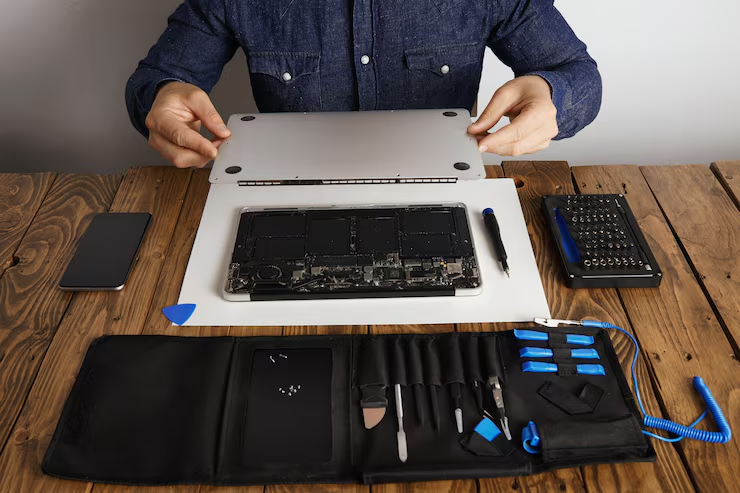
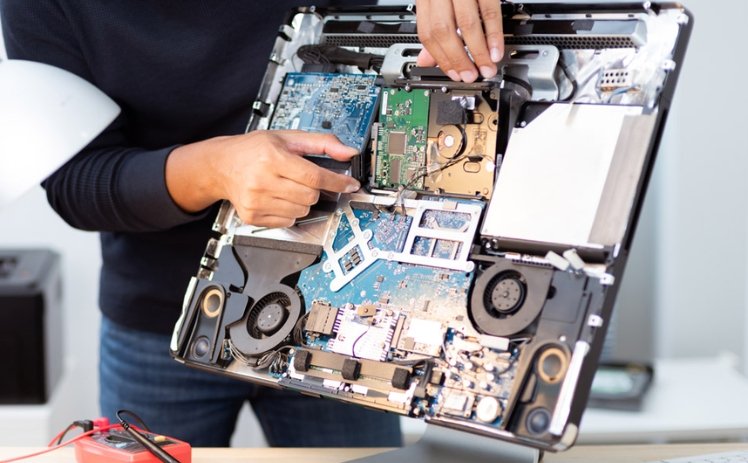
One of the most overlooked aspects of laptop maintenance is cleaning the internal components. Dust bunnies, pet hair, and lint build up inside the chassis, blocking airflow. Professional technicians safely open the MacBook, clear out accumulated debris, and replace dried-out thermal paste on the processor. This simple service drastically lowers operating temperatures, stops thermal throttling, and instantly brings back the snappy performance your MacBook had on day one.
Solid-State Drive Upgrades and Diagnostics
Storage health plays a massive role in overall efficiency. If your MacBook uses an older solid-state drive that is nearing capacity or experiencing read-and-write errors, your system will struggle to open applications, boot up, or transfer files. Expert technicians can diagnose drive health, clear bad sectors, or upgrade your storage to a faster, higher-capacity SSD. Faster read and write speeds mean quicker boot times, lightning-fast file transfers, and a smoother multitasking experience.
Battery Replacement for Stable Power Delivery
A dying battery does more than just force you to stay tethered to a wall outlet. Modern macOS versions manage power dynamically; if a battery is degraded and can no longer supply peak voltage demands, the system automatically throttles performance to protect itself. Replacing an old, swollen, or degraded battery with a fresh, high-quality cell ensures that your processor receives steady, reliable power, eliminating lag and restoring true mobility.
Software Optimization and Maintenance
Hardware is only half the equation. A MacBook can have top-tier physical components, but if the software is mismanaged, efficiency will plummet. Professional repair shops provide comprehensive software tune-ups that can make an older laptop feel brand new.
Operating System Optimization and Cleanup
Over time, background processes, corrupted preference files, and leftover fragments from uninstalled applications clog up your system. Technicians can perform a deep system cleanup, remove malicious background daemons or adware, and optimize your startup items. Furthermore, updating your macOS to a stable, optimized version ensures security patches are applied and modern APIs are utilized efficiently, reducing resource waste.
Data Management and Storage Organization
Running out of free space on your primary drive forces the operating system to juggle virtual memory inefficiently, leading to severe slowdowns. Professionals can help you reorganize your storage, archive unnecessary files, and set up efficient cloud integration or external backup solutions. Freeing up breathing room on your main drive allows macOS to execute paging and caching operations swiftly.
The Value of Professional Expertise Versus DIY Fixes
With countless online tutorials available, some users are tempted to open their MacBooks and attempt repairs at home. However, modern Apple laptops are marvels of tight engineering, featuring proprietary screws, fragile ribbon cables, glued-in batteries, and integrated components soldered directly onto the logic board. A single slip of a tool can puncture a lithium-ion battery, sever a display cable, or fry the logic board, turning a minor issue into an expensive paperweight.
Turning to top macbook repair and services gives you access to certified technicians who possess specialized diagnostic tools, anti-static workstations, and years of experience handling delicate Apple architecture. They can pinpoint the exact root cause of a slowdown rather than relying on guesswork, saving you time, frustration, and money in the long run.
Economic and Environmental Benefits of Repairing
Choosing repair over replacement is not only good for your productivity; it is also a win for your wallet and the planet. Buying a brand-new MacBook Pro or MacBook Air requires a significant financial investment. In contrast, targeted repairs or component upgrades usually cost a fraction of the price while delivering a comparable boost in daily efficiency.
From an environmental perspective, extending the life cycle of your existing laptop helps combat the global crisis of electronic waste. Manufacturing new electronics demands intensive resource extraction, energy consumption, and carbon emissions. By keeping your current MacBook running smoothly through professional maintenance, you reduce your carbon footprint and practice sustainable technology consumption.
Conclusion
Your MacBook is a powerful tool designed to streamline your work, creativity, and daily life. You should not have to settle for spinning wheels, delayed application launches, or frustrating system freezes. By addressing underlying hardware blockages, optimizing software environments, and maintaining thermal health, professional technicians can unlock hidden performance reserves in your machine. Relying on top macbook repair and services ensures that your laptop runs cooler, faster, and more reliably, empowering you to work efficiently and get the absolute most out of your technology investment for years to come.
About the Author